
Lodging a Behaviour support plan

If you are a specialist behaviour support provider, you might have regulated restrictive practices as part of a behaviour support plan.
A restrictive practice (RP) is an action that takes away a person's rights. They stop people from moving freely and doing what they want.

There are five kinds of regulated restrictive practices. They are:
- chemical restraint
- mechanical restraint
- physical restraint
- environmental restraint
- seclusion.

When regulated restrictive practices are part of a plan, you must lodge it with us. This means you must give us a copy.
You must lodge it in the new NDIS Commssion Portal under the 'Behaviour Support' tab.
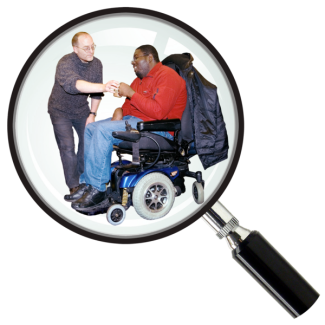
You start by searching for a participant using their NDIS number or name.
When you've found them click 'Lodge new BSP'
Saving a draft

You can fill in what you know and save your plan as a draft.
You can come back at any time to finish it.
We keep your draft for 30 days.

After 30 days, we delete it.
Step 1: Choose the type of plan and tell us who was involved
You must choose the type of behaviour support plan.
You might choose an interim plan.
An interim plan is a short plan. It records ways to keep people safe for now.

You use this while an assessment is being done and a more detailed plan is being made.
The more detailed plan is called a comprehensive plan.
You must upload a copy of the behaviour support plan.
If it is a comprehensive plan, you must also upload the assessment.
The system will tell you when the comprehensive plan or next review is due.

You must tell us who helped make the plan.
You can also tell us who will help implement the plan.

These practitioners must be linked as workers to your business.

You must tell us who you talked to about the plan.
You must also tell us who you did not talk to.
You can also tell us why.
Step 2: Add Implementing providers

You can search for NDIS providers using their Australian Business Number (ABN).
Once you've found them, you can fill in information about them.
Step 3: Adding the restrictive practices

If you have consent, you can see unauthorised restrictive practices.
Consent means the participant has said it is okay.
You can link these to the plan if you need to.
You should link them if they are part of the behaviour support plan.
You must add details about each regulated restrictive practice.
You can give each restrictive practice a name. This makes it easier to report on them later.

You must click the 'Link RPs' button.
Use this button to tell us which restrictive practices each provider might use.
Step 4: Lodge the plan
You must read and submit a declaration.
A declaration means you promise the information is true.

When you click 'submit', we will send a message to the implementing providers.