Follow these instructions if you've already set up myID to authenticate your identity. If you aren't set up yet, follow the instructions in How to set up myID.
Instructions
Visit the NDIS Quality and Safeguards Commission website. Click on the 'Portal Login' button, then choose a portal from the drop-down menu.
Image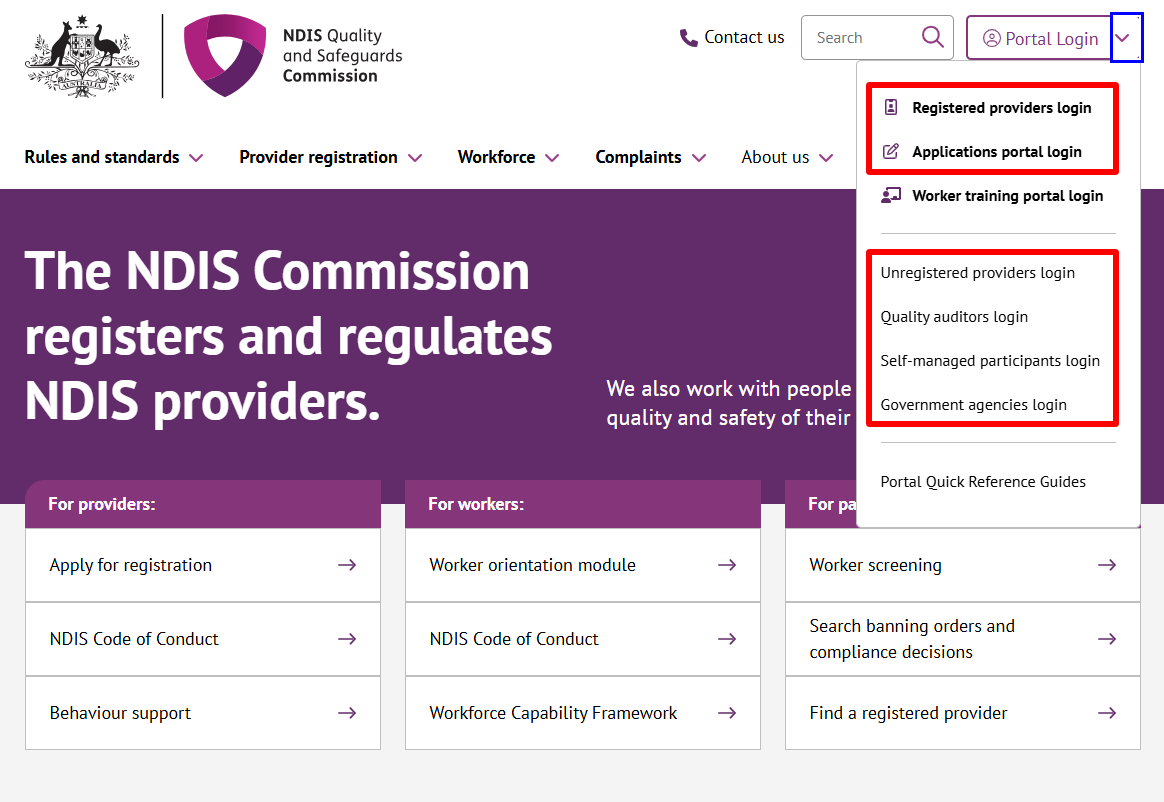
Click on the 'Log in' button.
Image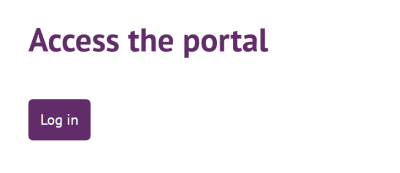
Choose 'Continue with Digital ID.
Image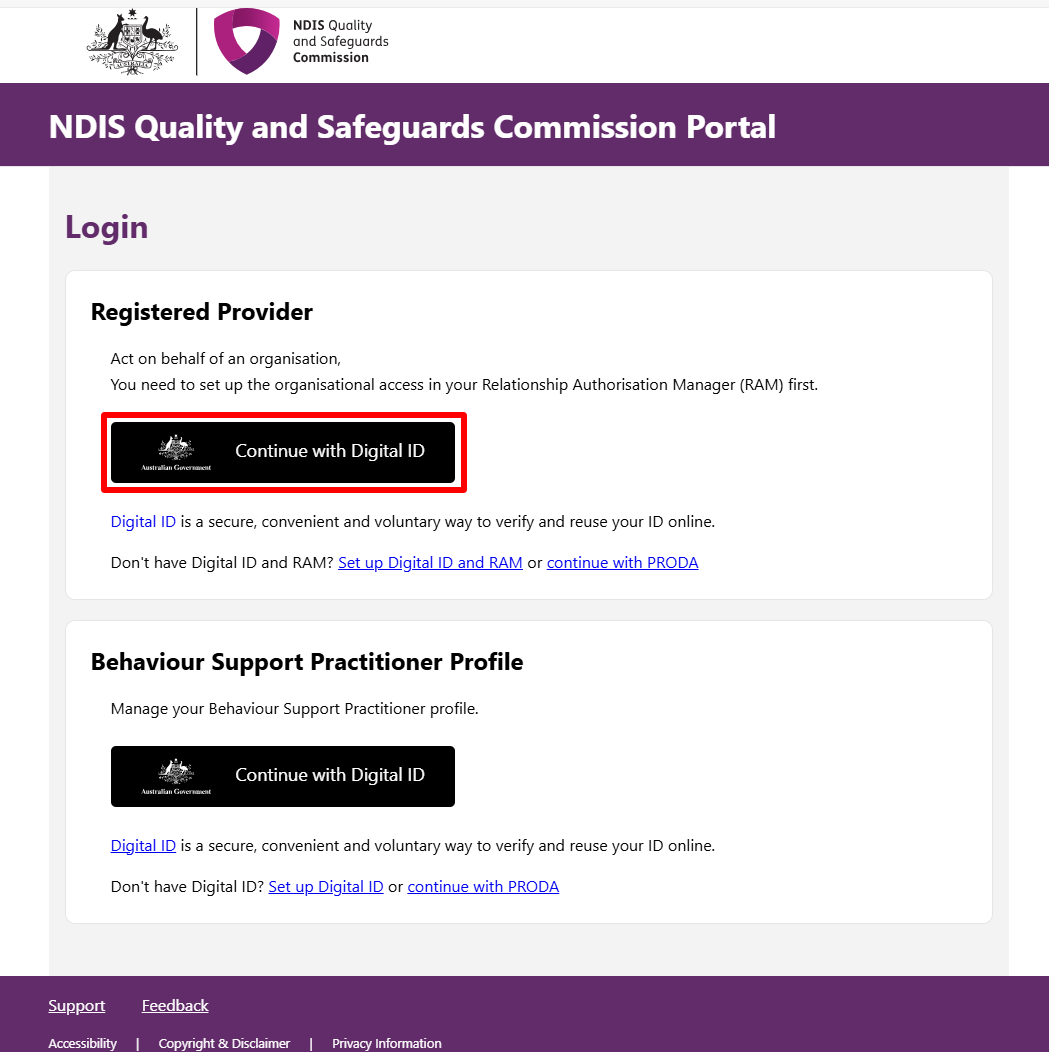
Choose 'myID' as your identity provider.
Image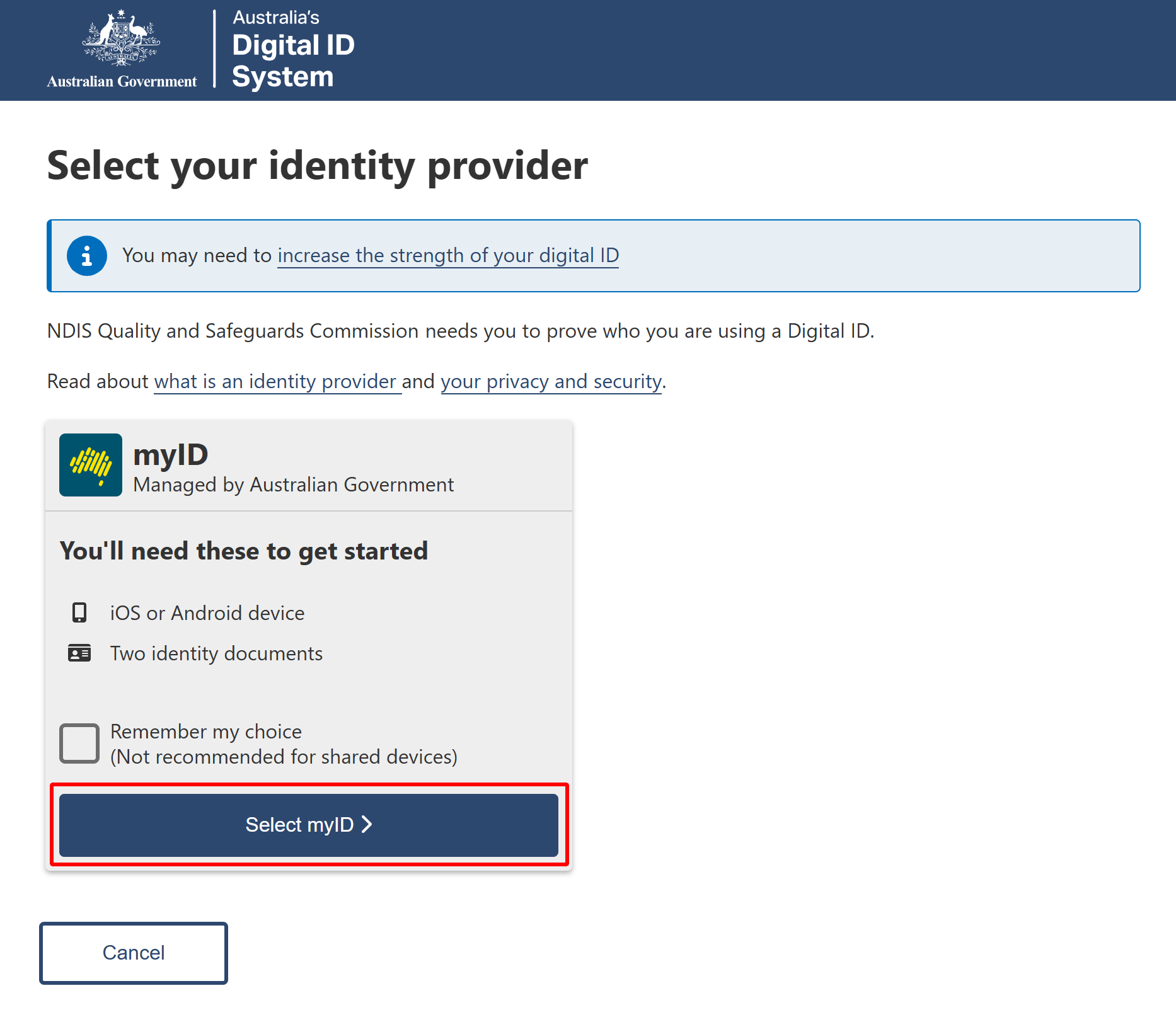
Enter your myID email and click 'Get code'.
Image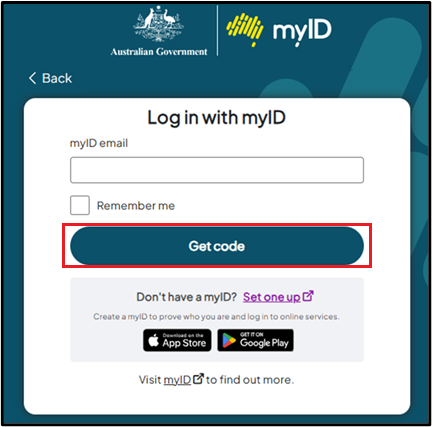
A code will be generated and displayed on this page.
Image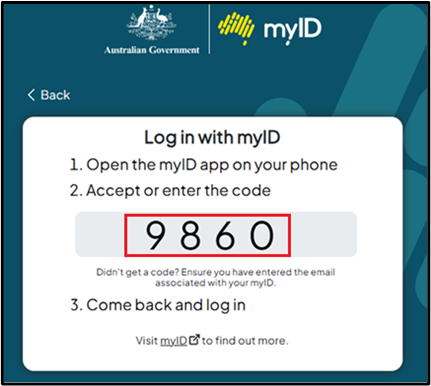
- Open the myID app on your phone and either accept the request or enter the code.
- If requested, log in with your myID details again.
- If you have authority to act on behalf of one business, or you're a participant, you'll go straight to the Portal entry point (step 9).
If you have authority for multiple businesses, you'll be directed to the RAM Australian Business Number (ABN) selection page. Select the box that appears before the business you wish to act for today, then click 'Continue'.
You'll be directed to the Portal entry point (step 9).
Image
If you haven't been given authority for any businesses, you'll be directed to a page that describes the situation and your next steps. Click the 'Continue' button and follow the process for gaining authority to act on behalf of a business. If you need support with this process, please see RAM help or call the Australian Taxation Office (ATO) on 1300 287 539 (select option 3, then option 1).
Once you've got authority, you can repeat steps 1 to 7 and get to the Portal entry point.
Image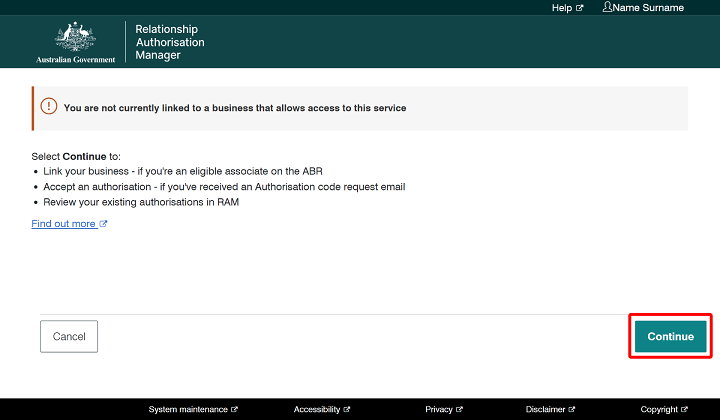
- If you have authority to act on behalf of one business, or you're a participant, you'll go straight to the Portal entry point (step 9).
You will arrive at the Portal entry point.
Image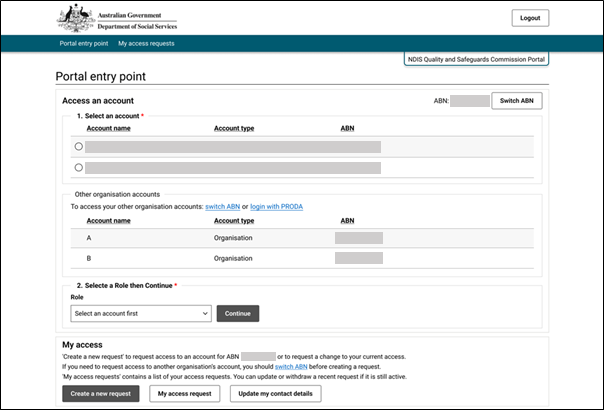
If it's the first time you've logged in with myID and you previously used PRODA, you'll get a message asking if you want to link your PRODA account. Linking your PRODA account means you'll keep the roles you had access to previously.
Click the 'Link PRODA Account' button.
Image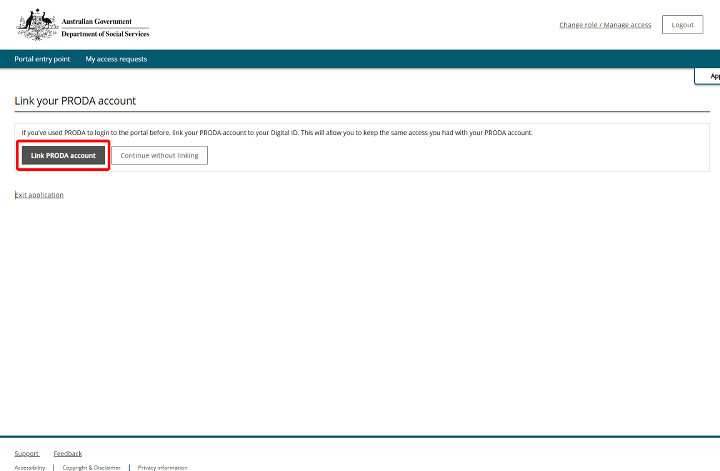
- Continue until the linking process is complete.
Link your PRODA account after your first time log in
If you clicked 'Continue without linking' the first time you logged in, you were prompted to create a new access request for a new role. This means:
- you no longer have access to your previous roles
- you don't see a message asking if you want to link your PRODA account.
If you realise you want to link your accounts and have access to your previous roles, follow these steps:
- Log in to the portal using PRODA.
When you get to the portal entry point, you'll see an alert about transitioning from PRODA to myID and RAM.
Click on 'Link Digital ID to your PRODA account'.
Image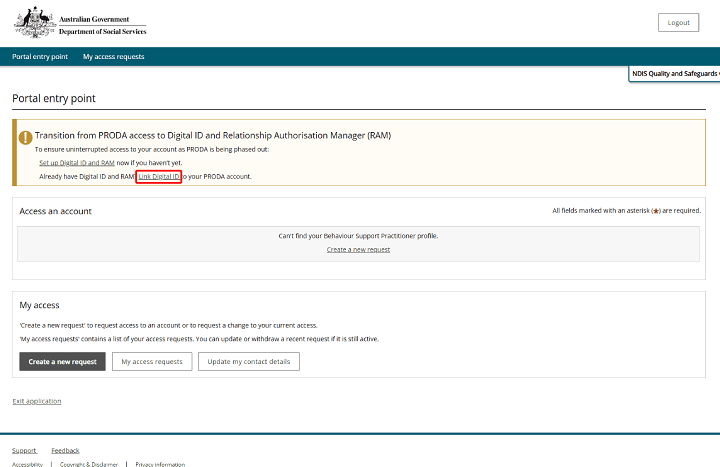
- When prompted log in to myID. Continue until the linking process is complete.
Help with myID and RAM
For help with myID, please see myID help or call the Australian Taxation Office (ATO) on 1300 287 539 (select option 2, then option 1).
For help with RAM, please see RAM help or call the Australian Taxation Office (ATO) on 1300 287 539 (select option 3, then option 1).