To set up you myID you need:
- a smart device – the myID app is compatible with most smart devices, such as smart phones, and is only available from the Apple App Store or Google Play
- a personal email address – because myID is for your personal identity, you will use a personal email address and not a shared or work email address
- to be 15 years or older – age restrictions may also apply to use some government online services.
- Download the myID app on your smart device.


Only download the myID app from the official app stores listed above.
- Open the myID app on your smart device.
- If you're setting up your myID for the first time, choose 'Set up myID.
If you've set up your myID before, select ‘I am an existing user’ and follow the prompts. See Setting up your myID again.
Image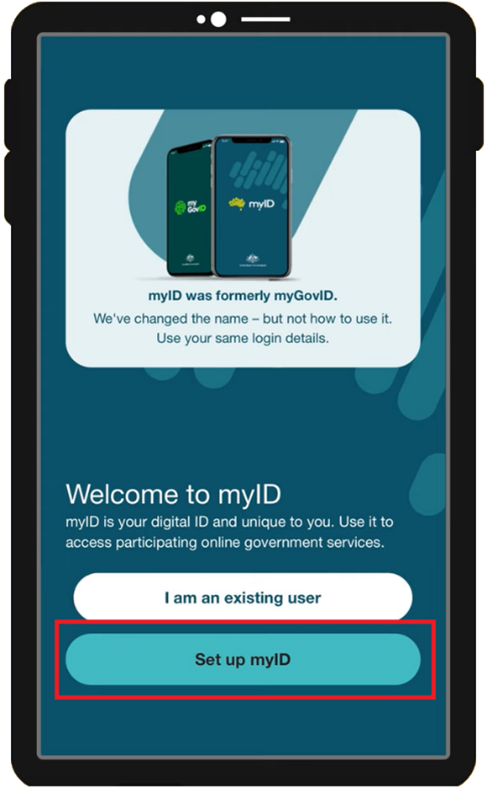
Enter your email address. Choose a personal email you will continue to have access to in future.
Image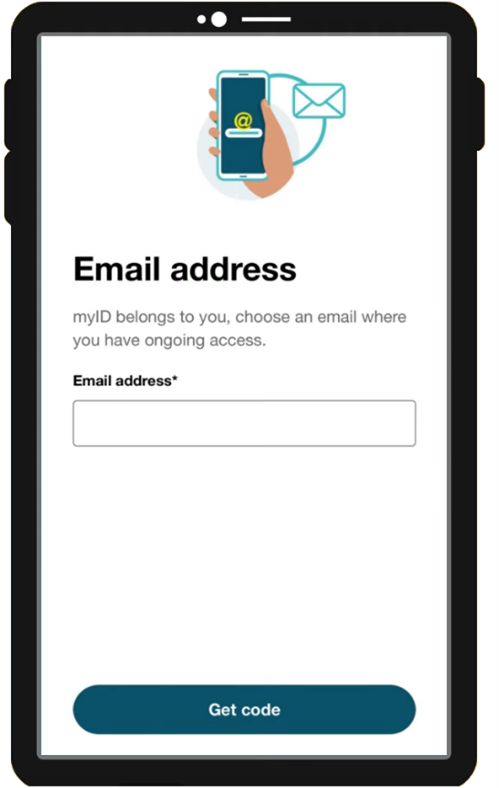
Enter a new password. You'll need to confirm it in the second field.
Image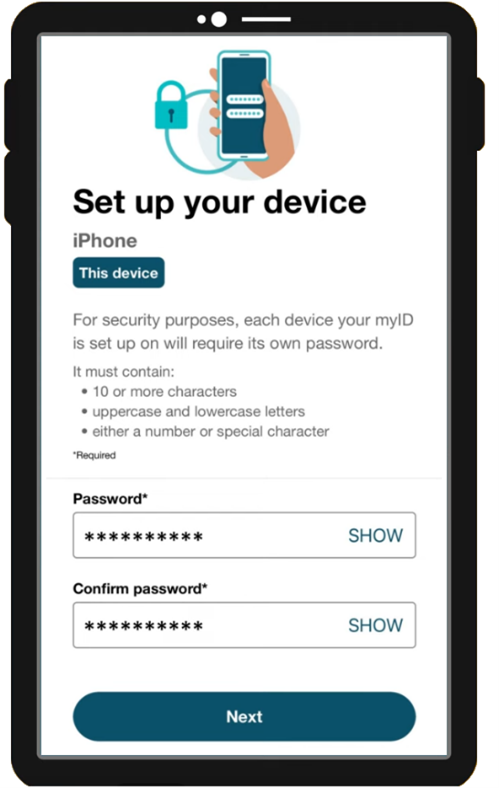
Enter your Given name, Family name and Date of birth.
Image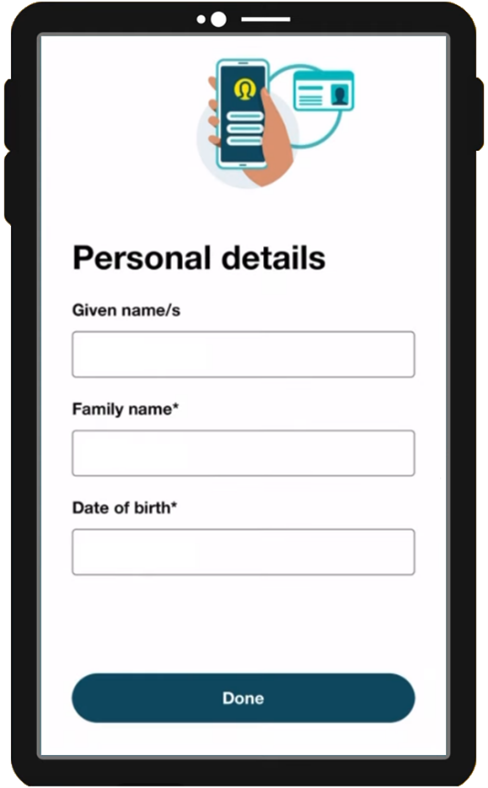
Next you will set your identity strength. See more information about Identity strengths. You already have Basic identity strength.
Image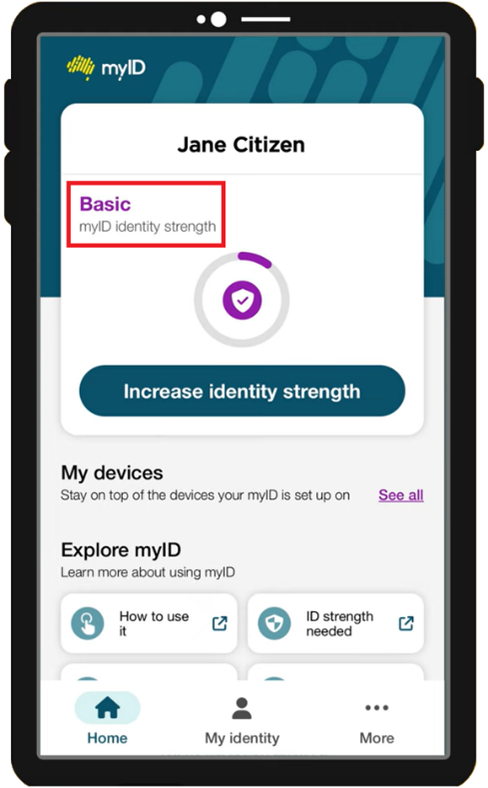
Select 'Increase identity strength'. You need to increase it to either:- Standard - for most people.
Strong - for people who are responsible for a business, including sole traders. They are known as a 'principal authority’.
Image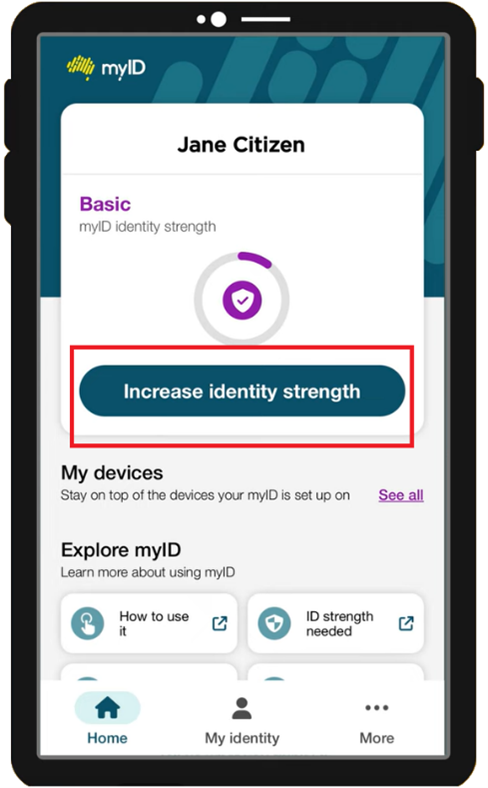
Select the plus signs next to the documents you want to verify. If you're trying to get a Strong identity level, you'll need a valid Australian passport or one that has expired in the last 3 years.
I can't get a strong identity strength, what can I do?
If you’re not able to achieve a Strong myID identity strength:- check if another principal authority can link the business and authorise you
- see myID help information about Identity strength
- see myID help information about verifying your ID
- call the Australian Taxation Office (ATO) on 1300 287 539 (select option 2, then option 1).
Image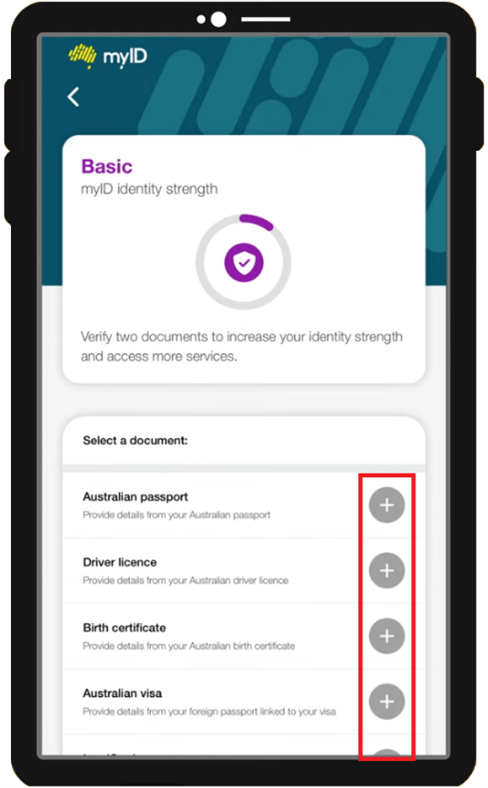
The NDIS Commission won’t have access to any of the identity documents you use to set up your myID. Read about how myID protects your personal information and what you can do to keep it secure.When you have verified the required documents, the identity strength indicator after your name will update to be either 'Standard' or 'Strong'.
Image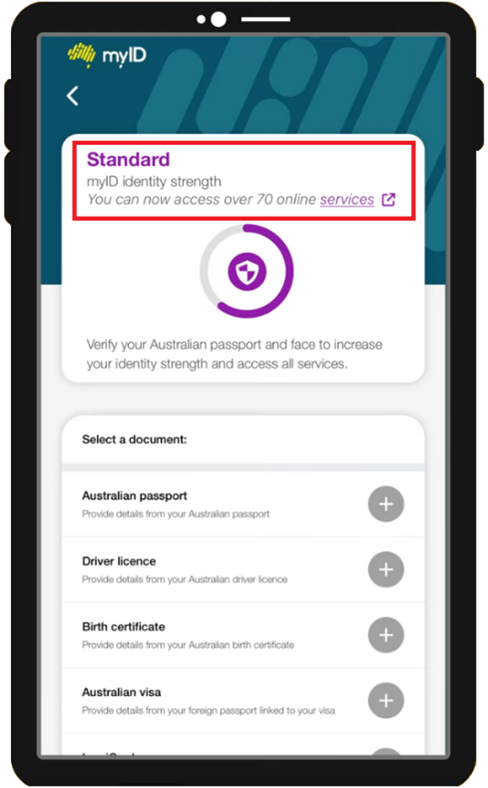
You can now use myID as your Digital ID to prove who you are when accessing the NDIS Commission portals.
Do I need to be linked to a business?
This depends on the task you're doing and the portal you need to access. See next steps for using myID.
Help with myID
For help with myID, please see myID help or call the Australian Taxation Office (ATO) on 1300 287 539 (select option 2, then option 1).